- info@securemaxtech.com
- +966-55-148-3139

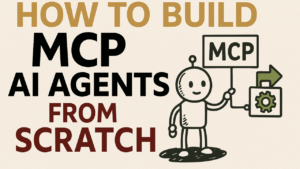
How to Build MCP AI Agents from Scratch
Building MCP AI Agents from Scratch: A 9-Step Guide
Imagine your team wants an AI assistant that can pull data from documents, interact with your apps, and automate tasks – all without custom-coding every integration. The Model Context Protocol (MCP) offers a way to make this happen. MCP is an open standard that lets AI agents plug into tools and data sources like a universal adaptor. Think of MCP like a USB-C port for AI applications – it provides a standardized way to connect AI models to different data and tools. In this article, we’ll walk through 9 steps to build an MCP-powered AI agent from scratch, blending a real-world narrative with technical how-to. Whether you’re a developer or a product manager, you’ll see how to go from a bright idea to a working AI agent that can actually do things in the real world.
In short: MCP replaces one-off hacks with a unified, real-time protocol built for autonomous agents. This means instead of writing custom code for each tool, your AI agent can use a single protocol to access many resources and services on demand. Let’s dive into the step-by-step journey.
Step 1: Define the Agent’s Goals and Scope
Every successful project starts with a clear goal definition. In this step, gather your technical and business stakeholders to answer: What do we want the AI agent to do? Be specific about the use cases and the value. For example, imagine Lucy, a product manager, and Ray, a developer, want an AI assistant to help with daily operations. They list goals like:
- Answer team questions from internal documents. (e.g. search knowledge bases and summarize answers)
- Automate simple tasks. (e.g. schedule meetings, create draft emails or reports)
- Interact with external services. (e.g. fetch data from a CRM or update a spreadsheet)
Defining the scope helps align expectations. A focused agent (say, an “AI Project Assistant”) is easier to build than a do-everything agent. At this stage, involve business stakeholders to prioritize capabilities that offer real ROI. Keep the scope realistic for a first version; you can always expand later.
Deliverable: Write a short Agent Charter that outlines the agent’s purpose, users, and key tasks. This will guide all subsequent steps.
Step 2: Plan the Agent’s Capabilities and Tools
With goals in mind, identify what capabilities the agent needs and which tools or data sources will provide them. In MCP terms, these external connections will be MCP servers offering tools and resources to the AI agent. Make a list of required integrations, for example:
- Internal knowledge – e.g., a company knowledge base or documents. (This might require a vector database for retrieval, which we’ll cover soon.)
- Productivity tools – e.g., a calendar API for scheduling or an email service for sending notifications.
- Enterprise data – e.g., a database or CRM to fetch stats or updates.
For each needed function, decide if an existing service or API can fulfill it, or if you’ll build a custom tool. MCP is all about standardizing these connections: you might find pre-built MCP servers for common services (file systems, GitHub, Slack, databases, etc.), or you may implement custom ones. The good news is that as MCP gains adoption, a marketplace of ready connectors is emerging (for example, directories like mcpmarket.com host plug-and-play MCP servers for many apps). Reusing an existing connector can save time.
Tool Design Tip: Don’t overload your agent with too many granular tools. MCP best practices suggest offering a few well-designed tools optimized for your agent’s specific goals. For instance, instead of separate tools for “search document by title” and “search by content”, one search_documents tool with flexible parameters might suffice. Aim for tools that are intuitive for the AI to use based on their description.
By the end of this planning step, you should have a clear mapping of capabilities → tools/data. For our example, Lucy and Ray decide the agent needs:
- A Document Search tool to query internal docs (likely using a vector database for semantic search).
- A Scheduler tool to create calendar events.
- An Emailer tool to send summary emails.
- A connection to the Company Database as a resource for the latest metrics.
This planning sets the stage for development. Now it’s time to prepare the data and context that the agent will use.
Step 3: Prepare the Knowledge Base with a Vector Database
One key capability in many AI agents is retrieving relevant information on the fly. This is often achieved through Retrieval-Augmented Generation (RAG), where the agent fetches reference data (e.g. documents, knowledge base entries) to ground its answers. Here, vector databases and embeddings come into play.
Embeddings are numerical representations of text (or other data) that capture semantic meaning. Essentially, an embedding model turns a piece of text into a list of numbers (a vector) such that similar texts map to nearby vectors in a high-dimensional space. In practical terms, if two documents talk about similar topics, their embeddings will be mathematically close, enabling the AI to find relevant content by semantic similarity. For example, an embedding model encodes data into vectors that capture the data’s meaning and context, so we can find similar items by finding neighboring vectors.
A vector database stores these embeddings and provides fast search by vector similarity. You can imagine it as a specialized search engine: you input an embedding (e.g. for a user’s query) and it returns the most similar stored embeddings (e.g. paragraphs from documents), often using techniques like nearest-neighbor search. This allows the agent to pull in relevant snippets of information beyond what’s in its prompt or training data, greatly enhancing its knowledge.
For our project, Ray sets up a small pipeline to ingest the company’s internal documents into a vector DB:
- Choose an embedding model – e.g. OpenAI’s text-embedding-ada-002 or a local model. Each document (or chunk of text) will be converted into a vector.
- Generate embeddings and store in the vector database. Each entry links the vector to the source text (and maybe metadata like title or tags).
- Test the retrieval – Given a sample query, ensure the vector DB returns relevant snippets.
Here’s a pseudocode example of how this might look:
# Pseudocode: Prepare vector database
documents = load_all_internal_docs()  # your data source
embeddings = [embedding_model.embed(doc.text) for doc in documents]
vector_db.store(items=documents, vectors=embeddings)

# Later, for a query:
query = "What were last quarter's sales in region X?"
q_vector = embedding_model.embed(query)
results = vector_db.find_similar(q_vector, top_k=3)
for res in results:
    print(res.text_snippet)  # relevant content the agent can use in its answer
Now the agent has a knowledge resource: it can query this vector DB to get facts and figures when needed. In MCP terms, this vector database will likely be exposed as a resource or a tool on an MCP server (more on that in a moment). In fact, using MCP for retrieval is a powerful pattern: MCP can connect to a vector database through a server action, letting an agent perform a semantic search on demand. This means our agent doesn’t need all knowledge upfront in its prompt – it can call a “search” tool to query the vector DB whenever the user asks a question requiring external info.
Before coding the agent, Lucy ensures that the business side (e.g. privacy, compliance) is okay with storing and accessing this data. With green light given, the vector store is ready and filled with up-to-date knowledge for the AI to draw upon.
Step 4: Set Up the MCP Framework (Environment & Architecture)
Now it’s time to get hands-on with MCP (Model Context Protocol) itself. At its core, MCP has a client-server architecture. The AI agent (host) uses an MCP client to communicate with one or more MCP servers. Each MCP server provides a set of tools, resources, or prompts that the agent can use.
In our scenario:
- The agent app (which we’ll build in a later step) will act as the MCP Host with an integrated MCP client.
- We will create or configure MCP servers for the functionalities we planned (document search, scheduling, etc.). These servers can run locally or remotely.
First, decide on the development stack and environment:
- Choose an MCP implementation: MCP is an open protocol with SDKs available in multiple languages. For example, there are reference implementations in Python, TypeScript, etc., as well as cloud-specific offerings (Cloudflare’s platform for MCP, Azure’s MCP support in Container Apps, etc.). Ray might opt for a language he’s comfortable with – say, Python for the agent logic and maybe TypeScript or Python for the MCP servers.
- Install necessary tools: This could include installing the MCP SDK or CLI, and the MCP Inspector (a developer tool we’ll use for testing). The MCP Inspector is a handy interactive tool (running via Node.js npx) that helps you run and debug MCP servers.
- Decide on local vs remote: In development, local MCP servers (using stdio transport) are easiest: the server runs as a subprocess on your machine and communicates via standard input/output. For production or sharing with others, you might deploy remote MCP servers that communicate over HTTP (Server-Sent Events). Initially, Lucy and Ray run everything locally for rapid iteration, with plans to containerize and deploy servers to the cloud later for scaling.
MCP’s architecture is straightforward once you see it: the agent doesn’t call tool APIs directly; instead, it sends a structured request to an MCP server which then translates it to the actual action (be it a database query or API call) This decoupling means the agent doesn’t need to know the low-level details – it just knows the name of the tool and what it’s for. The server advertises these capabilities so the agent can discover them. MCP ensures all communication follows a consistent JSON-based schema, so even if the agent connects to a new tool it’s never seen, it can understand how to use it.
Key Concepts:
- Tools in MCP: Typically actions that can change state or have side effects. For example, “send_email”, “create_event”, “update_record”. Tools take inputs and produce outputs (or perform an action).
- Resources in MCP: Usually read-only data sources or information retrieval endpoints. They return data but don’t perform an external action. Our vector DB search might be modeled as a resource (since it fetches info) or as a tool – the line can blur, but conceptually it’s just getting data.
- Prompts: Reusable prompt templates or workflows the server can provide, which can help standardize how the AI and server communicate for certain tasks. We won’t deep-dive into prompts here, but know that MCP can also manage prompt templates if needed.
With environment set up, Lucy and Ray have the MCP groundwork ready. Next, they’ll create the specific tools and resources on the MCP servers to fulfill the agent’s needs.
Step 5: Implement and Register MCP Tools & Resources
This is the core development step: building the MCP server(s) that expose the functionalities we planned. If you found a pre-built MCP server for some tool (e.g. an existing “calendar” server or “filesystem” server), you can simply run or adapt it. But here, we’ll assume you’re making custom integrations from scratch to see how it’s done.
a. Creating an MCP Server: An MCP server is essentially an application (could be a simple script or web service) that defines a set of actions (tools/resources) and handles requests for them. For instance, to implement our Document Search capability, Ray creates a server (let’s call it “KnowledgeServer”) with a tool or resource named search_docs. The server code will roughly:
- Initialize an MCP server object (giving it a name, version, etc.).
- Define the schema and logic for each tool/resource:
- For search_docs, define that it accepts a query string and maybe a number of results, and returns text results.
- The logic will take the input, call the vector database (from Step 3), and return the top matches.
- Do similarly for other tools: e.g., a schedule_meeting tool (calls calendar API), and an send_email tool (calls email API). These might be separate servers or combined, depending on design. Often, one MCP server might group related tools (e.g. a “ProductivityServer” for calendar/email).
- Include descriptions for each tool and its parameters. This is critical: the AI agent relies on these descriptions to decide when and how to use a tool. A good description might be: Tool name: schedule_meeting – Description: “Creates a calendar event. Input: title (string), date_time (datetime), participants (list). Output: confirmation message.” Clear descriptions help the AI use tools correctly.
b. Tool Registration: Once the server logic is ready, you “register” the tools so that an MCP client can discover them. In practice, if using an MCP SDK, this might mean adding the tool definitions to the server object. Many MCP frameworks will automatically share the tool list when the agent connects (this is known as capability discovery). For example, the server might implement a method to list its tools; when the agent connects, it fetches this list so the AI knows what’s available. In code, this can be as simple as adding each tool to the server with its handler function. If you’re writing servers in Node or Python, you might use an SDK function to register a tool, providing its name, input schema, and a function callback to execute.
c. Handling Resources: If some data is better exposed as a read-only resource (for instance, a static database or a subscription feed), MCP supports that too. In our case, we could treat the vector DB as a resource. The server would expose it such that the agent can query or subscribe to updates. The difference is mostly semantic – tools vs resources – but resources might be listed separately in something like the MCP Inspector interface (which has a Resources tab).
d. Security and permissions: At this point, consider what each tool is allowed to do. MCP servers often run with certain credentials (API keys, database access) and you might not want to expose every function to the agent. Implement permission checks or scopes if needed. For example, ensure send_email can only email internal domains, or the search_docs can only access non-confidential docs. MCP encourages scoped, narrowly-permissioned servers to avoid over-privileged agents.
By the end of Step 5, you have one or more MCP servers implemented with the necessary tools/resources. They’re essentially adapters: converting the AI’s requests into real actions and then returning results. For instance, our KnowledgeServer takes an AI query like “Find Q3 sales for Product A” and translates it into a database lookup or vector DB search, then gives the answer back to the AI.
Before unleashing the whole agent, it’s wise to test these servers in isolation. This is where the next step – using the MCP Inspector – becomes invaluable.
Step 6: Test and Debug with MCP Inspector
Even the best plan needs testing. The MCP Inspector is a developer tool that provides an interactive UI to load your MCP server and poke at it to ensure everything works correctly. Think of it as a combination of API tester and live debugger for MCP.
Ray fires up the MCP Inspector for the KnowledgeServer:
- Using a simple command like npx @modelcontextprotocol/inspector npx @your-org/knowledge-server, the inspector launches the server and connects to it.
- The Inspector window shows all the declared Tools, Resources, and Prompts the server provides. For example, under the Tools tab, Ray sees search_docs listed with its input schema and description. This confirms the tool registration worked.
- He can manually invoke search_docs by providing a test query in the Inspector. Upon running it, the Notifications pane shows logs and any output or errors. Suppose the first run returns an error because of a typo in the database query – he can catch that now and fix the server code.
- The Resources tab similarly shows any resources. If the vector DB was set as a resource, Ray can inspect its metadata and test querying it directly.
- The Inspector also ensures capability negotiation is happening: essentially, the server advertises what it can do, and the client (Inspector acting as a client) acknowledges it. If something isn’t showing up, that’s a sign the server’s tool definitions might be misconfigured.
Using the Inspector, Lucy and Ray iteratively refine the servers:
- They add better error handling (the Inspector logs help identify edge cases, like what if search_docs gets an empty query).
- They test unusual inputs (like scheduling a meeting in the past) to ensure the server responds gracefully – a process akin to writing unit tests for each tool.
- They ensure performance is acceptable (the Inspector can’t do full load testing, but they might simulate a few rapid calls).
By the end of testing, the MCP servers are robust and ready. Importantly, this step gave the confidence that each piece works in isolation. It’s much easier to troubleshoot issues here than when the AI is in the loop, because you can directly see what the server is doing. As a best practice, treat the Inspector as your friend during development – it significantly speeds up debugging of MCP integrations.
Step 7: Integrate the AI Model and Configure the Agent App
Now for the fun part: bringing the AI brain into the picture and configuring the agent application. At this stage, we have:
- Functional MCP servers (for docs, calendar, email, etc.).
- A knowledge base (vector DB) the agent can query via those servers.
- Clear tool definitions and descriptions.
What we need now is the actual AI agent logic that will use a Large Language Model (LLM) to interpret user requests, decide which tools to call, and compose responses. This typically involves using an AI model (like GPT-4, Claude, etc.) and an agent orchestration framework or prompt strategy (for example, a ReAct prompt that allows the model to reason and choose tools).
a. Building the Agent’s Brain: The agent is essentially an LLM with an added ability to use tools. Many frameworks (LangChain, OpenAI function calling, etc.) exist for this, but MCP can work with any as long as you connect the MCP client properly. If using the OpenAI Agents SDK (hypothetically), one might configure an Agent and pass in the MCP servers as resources. In code, it could look like:
llm = load_your_llm_model()  # e.g. an API wrapper for GPT-4
agent = Agent(
    llm=llm,
    tools=[],  # could also include non-MCP tools if any
    mcp_servers=[knowledge_server, productivity_server]  # attach our MCP servers
)
When this agent runs, it will automatically call list_tools() on each attached MCP server to learn what tools are available. So the agent might get a list like: [search_docs, schedule_meeting, send_email] with their descriptions. The agent’s prompt (which you craft) should instruct it to use these tools when appropriate. For example, you might use a prompt that says: “You are a helpful assistant with access to the following tools: [tool list]. When needed, you can use them in the format: ToolName(inputs).” Modern LLMs can follow such instructions and output a structured call (like JSON or a special format) indicating the tool use.
b. Agent App Configuration: Beyond the LLM and tool hookup, consider the app environment:
- Interface: How will users interact? Maybe a chat UI where they ask questions and the agent answers. Lucy ensures the front-end (if any) is ready to display agent responses and maybe even intermediate steps (for transparency).
- Model parameters: Set things like temperature (to control creativity), max tokens, etc., appropriate for your use case. A business report summary might need a low-temperature (factual), whereas brainstorming ideas might allow more creativity.
- System prompts or guardrails: Provide any necessary context or rules to the AI. For instance, a system prompt might state: “You are an AI assistant for ACME Corp. You have access to company data via tools. Answer concisely and factually, and use tools for any data you don’t know.”
- MCP Client setup: If not using a high-level SDK, you might need to explicitly initialize an MCP client and connect to the servers. For example, in Python you might start a subprocess for the local server (as shown in Step 4 with stdio transport), or connect to a remote server via a URL. Ensure the client is authorized if needed (some servers might require an auth token or OAuth – as would be the case if connecting to something like an Azure-hosted server with protected resources).
- Tool invocation logic: Depending on your approach, the agent might automatically decide when to call tools (typical in frameworks using ReAct or function calling). Alternatively, you might implement a simple loop: the LLM’s output is checked – if it indicates a tool use, call the MCP client’s execute function for that tool, get result, feed it back to LLM – and continue until the LLM produces a final answer. This is essentially how an autonomous agent loop works.
c. Testing the Integrated Agent: Before deploying, try some end-to-end queries in a controlled setting. For example:
- Ask the agent: “What were last quarter’s sales in region X?” It should decide to use search_docs (or perhaps a query_db tool) to retrieve that info, then compile an answer.
- Tell the agent: “Schedule a meeting with Bob tomorrow at 3pm.” It should use schedule_meeting, get a confirmation, and maybe respond with “Meeting scheduled.”
- A multi-step request: “Find the top customer complaints from last month and draft an email to the team with a summary.” This might require two tool uses – one to search complaint logs (documents) and another to send an email. See if the agent can handle using multiple tools sequentially. MCP allows chaining tools – thanks to the structured protocol, the agent can call one tool, get data, then decide to call another, all within one conversation.
If any of these fail, you may need to refine the prompt or provide more examples to the model on how to use the tools (few-shot examples in the system prompt can help). This is a bit of an art – effectively prompt engineering and agent coaching. But once it’s working, you truly have an AI agent that’s context-aware, meaning it can fetch real data and take actions, not just chat generically.
Lucy and Ray can now see their creation in action: the AI assistant responds to questions with actual data from their knowledge base, and can perform tasks like scheduling meetings. The gap between AI and real-world action is being bridged by MCP.
Step 8: Deploy the Agent Application
Having a prototype running on a developer’s machine is great, but to be useful, it needs to be accessible to users (which could be internal team members or external customers). Deployment involves making both the agent application and the MCP servers available in a reliable, scalable way.
Key considerations for deployment:
- MCP Server hosting: Decide where your MCP servers will live. Options include cloud platforms (for example, deploying as microservices on Azure, AWS, Cloudflare, etc.) or on-premises if data can’t leave your network. The servers are just apps, so you can containerize them (Docker) and deploy to a container service. Azure provides templates for MCP servers on Container Apps. Cloudflare lets you host MCP servers on their edge network – or you simply run them on a VM or Kubernetes cluster. Ensure that each server has the necessary environment (e.g. API keys for calendar/email, access to the vector DB, etc.). Also set up monitoring and logging for these servers to catch any runtime errors.
- Scaling the servers: If you expect high load, you might run multiple instances behind a load balancer. MCP uses stateless request-response for tools (and SSE streams for events), which scales fairly well horizontally. One of the advantages of MCP’s standardized interface is that clients can connect to remote servers easily – so you could even have one central knowledge server that many agents (clients) connect to.
- Agent app integration: If the agent is part of a larger application (say, integrated into a web dashboard or a Slack bot), deploy that application accordingly. For example, if it’s a Slack bot, you’d deploy the bot service and ensure it can initiate the agent logic when a message comes in.
- Security: Now that it’s live, secure the connections. Use encryption (HTTPS) for remote MCP connections. If using OAuth or API keys for tools, ensure they’re stored safely. MCP supports authorization flows (like OAuth) to ensure only allowed clients access certain servers. For instance, you might require the agent to authenticate when connecting to the company’s knowledge server, so only approved agents can use it.
- User Access and UX: Roll out to users in stages. Lucy might pilot the agent with her team first. Provide a simple user guide explaining what the agent can do (“Try asking it to fetch data or automate a task”). At the same time, gather feedback. Users might discover new desired features or confusing behaviors which you can iterate on.
During deployment, also consider failure modes. What if a tool fails (e.g., email API down) – does the agent handle it gracefully (perhaps apologizing to user and logging the error)? It’s wise to implement fallback responses or at least error messages that make sense to the end-user, rather than exposing technical details. MCP servers typically handle errors by returning structured error responses that the client (agent) can interpret, so make sure to propagate those to the user in a friendly way.
With everything deployed, your AI agent is now in the wild, working across the systems you connected. It’s time to look at the bigger picture and future expansion.
Step 9: Scale and Expand Across Applications
The final step is an ongoing one: scaling and evolving your MCP-based AI agent across the organization and to new use cases. This is where the true payoff of MCP’s standardized approach becomes evident.
Here are ways to scale and expand:
- Increase Usage Scale: As more users start using the agent, monitor the load on the MCP servers and the LLM API. Scaling might mean upping the compute for the vector database, adding more worker processes for the MCP servers, or using a more powerful LLM model for faster responses. Cloud providers can help scale these components (for example, using Azure’s managed services for the vector DB or auto-scaling container instances for MCP servers).
- Add More Tools: Once the initial agent proves its value, stakeholders will likely want new features. Thanks to MCP, adding a feature often means spinning up another MCP server (or extending an existing one) with the new tool, rather than altering the core agent logic. For example, if the Sales department now wants the agent to also update CRM records, you can build a “CRM Server” with a update_crm tool, and then register that with the agent. The standardized protocol means the agent can incorporate it without a heavy rework – it’s like plugging a new peripheral into your USB-C port.
- Cross-Domain and Multiple Apps: MCP fosters a tool ecosystem that can be reused by different AI agents and applications. Suppose another team develops a customer support chatbot. It could connect to the same KnowledgeServer to retrieve answers, and maybe you give it access to a “FAQ database” resource. In other words, you can have multiple AI agents (with different personas or purposes) all tapping into a common pool of MCP servers. This avoids siloed development – build a tool once, use it in many AI apps.
- Organization-wide Context: Over time, you might accumulate a suite of MCP servers covering various internal systems (documents, code repository, inventory DB, etc.). MCP is designed to maintain context as AI moves between tools – meaning an agent can carry what it learned from one query into the next tool call. This helps in multi-step workflows. Scaling across apps also means maintaining a level of consistency: define conventions for tool names, ensure all servers follow security guidelines, and possibly develop an internal MCP marketplace for your company where devs can discover and contribute connectors (mirroring the public MCP marketplaces that are emerging).
- Monitoring and Improvement: At scale, keep an eye on how the agent is used. Analyze logs: which tools are called most, what questions are asked, where does the agent fail or hallucinate? This data is gold for improving both the AI’s prompt and the underlying tools. You might add more knowledge to the vector DB if you see unanswered questions, or improve a tool’s reliability if errors occur. Continuously refine the agent’s abilities and maybe integrate newer LLMs as they become available for better performance.
Scaling is not just about tech; it’s about organizational adoption. Lucy can champion how the AI agent saves everyone time, turning skeptics into supporters. With robust MCP-based infrastructure, the team can confidently say yes to new feature requests because the modular architecture handles growth gracefully. Instead of a monolithic AI system that’s hard to change, you have a Lego set of AI tools – adding a new piece is straightforward without breaking others.
Conclusion: From Idea to Reality with MCP
In this journey, we saw how a team can go from a simple idea – “let’s have an AI assistant that actually does things” – to a working agent powered by the Model Context Protocol. We followed a 9-step framework: from clearly defining goals and planning capabilities, through building the data foundation with vector embeddings, setting up the MCP environment, implementing and registering tools/resources, testing with the MCP Inspector, wiring up the AI model, and finally deploying and scaling the solution. Throughout, we used a narrative example to make it tangible how each step might look in practice.
The result is an AI agent that is more than just a chatty assistant – it’s action-oriented and context-aware. By leveraging MCP’s open standard, our agent can seamlessly connect to various services and data sources in real time, which is a big leap from traditional isolated AI models. Instead of custom code for every integration, MCP gave us a plug-and-play architecture where the focus was on what the agent should do, not how to wire it all up.
For developers, MCP offers a flexible framework to build complex workflows on top of LLMs, while ensuring compatibility and structured interactions. For business stakeholders, it means AI solutions that can actually operate with live data and systems, accelerating automation and insights. It’s a win-win: faster development and more capable AI agents.
As you consider adopting MCP for your own projects, remember that it’s an open protocol and community-driven effort. There’s a growing ecosystem of tools, SDKs, and pre-built connectors that you can tap into. The story of Lucy and Ray’s agent is just one example – across industries from finance to marketing to operations, the approach is similar. Define the goal, assemble the pieces with MCP, and let your AI agents loose on real-world tasks.
In summary, building an MCP AI agent from scratch may involve many moving parts, but each step is manageable and logical. And the end product is incredibly powerful: an AI that not only understands language, but can take action using the full context of your organization’s knowledge and tools. It’s a glimpse into the future of AI in the enterprise – a future where AI agents are as integrated into our software stack as any microservice or API. Given the momentum behind MCP (with companies like Anthropic, Microsoft, and others championing it), now is a great time to start building with this new “USB-C for AI.” Your team’s next big AI idea might be closer to reality than you think.
What use case would you build first if you had your own MCP-powered AI agent?
Do you believe MCP will become the standard interface layer for enterprise AI agents — or is there another protocol you’re betting on?
How Intelligent Agents Are Redefining Enterprise Productivity (A Technical & Strategic Blueprint)
October 16, 2025 | by SecureMax
Read More →

What is HUMAIN? Inside Saudi Arabia’s Ambitious New AI Powerhouse
October 16, 2025 | by SecureMax
Read More →

AI Regulation, Governance, and Ethics: Saudi Arabia’s Approach in a Global Context
October 16, 2025 | by SecureMax
Read More →